Zorin OS 18.0 Pro 專業版(基於Ubuntu的Linux發行版)老舊 Windows 系統的理想替代品
Zorin OS Pro / Pro Lite。它是一款現代且快速的作業系統,是老舊 Windows 系統的理想替代品。
Zorin OS Pro / Pro Lite 概述:
這款功能強大的作業系統專為希望獲得可靠、安全、流暢的運算體驗,且不受過時硬體限制的使用者而設計。
它基於 Ubuntu,以其用戶友善性和豐富的功能而聞名,能夠滿足初學者和高級用戶的需求。
最新版本專為希望從 Windows 10 過渡的使用者打造,提供了一個既熟悉又增強的環境,可協助使用者有效率地完成各項任務。
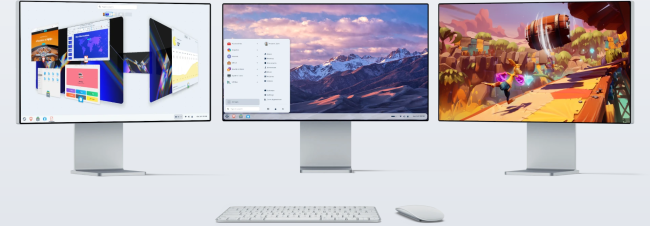
專為現代用途設計:
這款工具的設計著重於未來。隨著 Windows 10 停止支持,數百萬用戶將面臨裝置不再受支援的問題。
該系統完美地填補了這一空白,能夠在舊電腦上流暢運行,讓它們煥然一新。
您無需丟棄現有設備或購買新電腦-安裝此作業系統,即可開啟全新體驗。
增強型軟體支持:
開發者改進了該工具處理 Windows 應用程式的方式,讓使用者能夠輕鬆地從 Windows 系統切換到 Linux 系統。
它會自動偵測許多 Windows 安裝程式文件,並推薦相應的 Linux 原生替代方案。
這意味著,當您嘗試安裝 Obsidian 等應用程式時,系統會將您引導至軟體商店中的相容版本,從而節省您的時間並確保更高的穩定性。
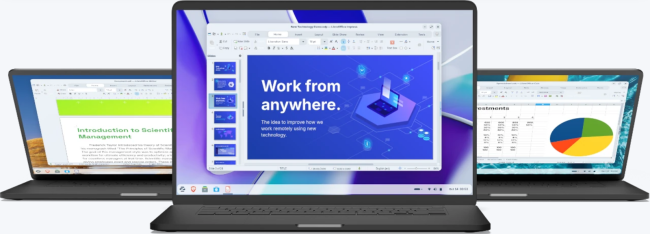
Brave瀏覽器內建隱私保護功能:
為了保障您的瀏覽隱私和安全,作業系統現在使用 Brave 作為預設瀏覽器。
此項變更源自於對 Firefox 隱私權保護措施的擔憂。
Brave 預設封鎖追蹤器、廣告和 Cookie,甚至支援 Tor 進行匿名瀏覽。它速度快、開源,並且能夠完美融入桌面環境。
透過 Zorin Connect 實現更流暢的裝置集成:
內建的 Zorin Connect 應用程式可將您的安卓手機與電腦連接,帶來流暢的操作體驗。
您可以發送文件、同步訊息、控制媒體播放,甚至將手機用作遙控器。
該應用程式採用全新設計,與手機主題完美匹配,不僅美觀,而且易於使用。
各方面功能均有所改進:
由於升級後的遠端輸入功能,該軟體現在支援使用手機控制電腦的鍵盤和滑鼠。
此外,您還會發現許多便利功能,例如專輯封面分享、進階通知過濾以及更輕鬆的裝置配對。
所有功能都以使用者體驗為中心進行設計,確保日常操作快速且方便。
專業版 vs 專業精簡版:
我們提供兩個版本以滿足不同使用者的需求。
完整版功能齊全,是高效能係統或希望立即使用所有功能的使用者的理想之選。而精簡版則是為老舊或
Zorin OS 18.0 Pro 專業版(基於Ubuntu的Linux發行版)官網:
Zorin OS 常見問題:
安裝到電腦上之前,可以先試用 Zorin OS 嗎?
絕對!您可以通過USB磁碟運行Zorin操作系統,無需觸碰電腦內定磁碟機即可進行試駕。
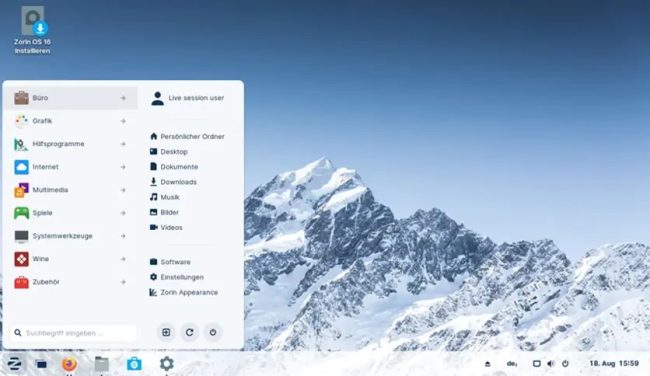
準備安裝時,只需雙擊桌面上的“Install Zorin OS”圖示,然後按照螢幕上的分步操作操作操作即可。
Zorin 操作系統的成本是多少?
您可以免費下載並免費使用Zorin OS的Core版本。如需更進階功能、附加應用和支援,您可以購買 Zorin OS Pro
我的電腦會使用Zorin OS嗎?
如果您的電腦已有15年或更新,則很可能應與Zorin操作系統相容。你可以檢查你的電腦是否達到 系統要求。
如果您正在考慮購買 Zorin OS Pro 並不確定您的電腦是否相容,可以免費下載 Zorin OS Core,通過先從 USB磁碟運行來試用。
我最喜歡的應用程式在 Zorin OS 中會工作嗎?
很有可能,他們會的!您可以從內建軟體商店安裝大量應用程式,其中內含許多您熟知和喜愛的熱門應用。
Zorin OS 復原生相容第三方 Ubuntu 和 Linux 應用程式(.deb 或。AppImage 可執行檔案)
你可以運行多個 Windows應用程式 只需雙擊他們的.exe或.msi安裝檔案即可。
取得Zorin操作系統需要多長時間?
下載Zorin操作系統和建立USB安裝磁碟機所需的時間取決於您的網際網路連線和硬體。
Zorin OS 安裝在電腦上通常需要10到20分鐘,只需足夠時間即可飲用咖啡。您可以了解如何安裝 Zorin OS 這裡。
Zorin OS 需要多長時間才能獲得軟體更新?
Zorin OS 18 將至少在 2029 年 6 月之前收到軟體更新和安全修改更新。
我們通常每兩年發佈一次主要版本,因此您將有充足的時間 升級 面向未來版本以擴展支援。
Zorin OS__是基於 Ubuntu 的 Linux 發行版
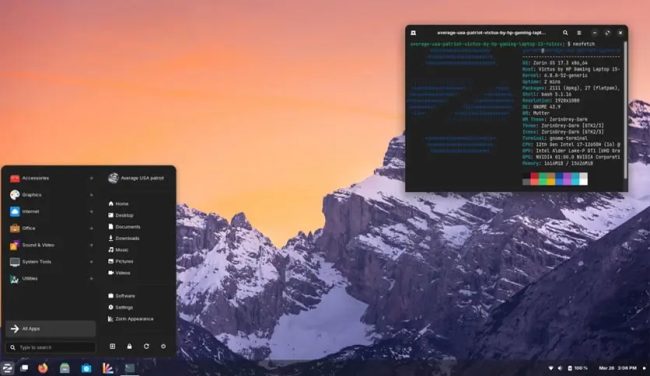
Zorin OS是基於Ubuntu,採用免費與付費並行制的Linux發行版
雖然桌面採用Xfce與GNOME兩種環境,但為了從Windows與macOS轉用的使用者而進行大量自訂。
——————————————————-
特點:
為了讓Windows使用者更方便的使用,Zorin作業系統預裝了Wine。
軟體:
因Zorin OS是基於Ubuntu開發的,所以也使用deb軟體包格式,並與Ubuntu相容。另外Zorin還有內建的軟體商店。
外觀:
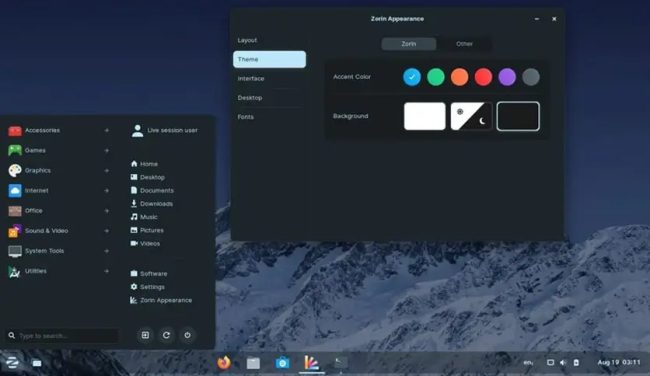
Zorin有自己特有的Zorin Look Changer,該軟體可以用來方便的切換桌面的外觀,比如切換成Windows的外觀、Ubuntu的外觀或Mac外觀。
但Lite版只提供Windows的外觀
桌面環境:
除Lite版以Xfce預設桌面環境外,其餘版本皆是使用GNOME。
瀏覽器:
Zorin OS預設的瀏覽器為FireFox(僅部分版本)。
同時Zorin OS提供了一個瀏覽器管理工具,即Zorin Web Browser Manager,可方便的安裝/解除安裝瀏覽器。
其它:
Zorin內建有Office套裝程式、多媒體播放程式等常用軟體,一般也無需下載安裝網卡、音效卡等硬體裝置的驅動
(但部份顯示卡需要額外下載的驅動程式,且不一定能用套件庫中所提供的版本)。
歷史與發展過程:
Zorin是由Artyom和Kyrill兩人所創。
首個版本Zorin OS 1於2009年7月1日發布。
它以Ubuntu為開發基礎,並模仿了Windows7的介面。和Ubuntu每六個月便會發布一個新版的升級策略不同,Zorin的升級是較為穩健的。
Zorin的開發目的是為了使Windows使用者更容易使用Linux。
Zorin是建基於Ubuntu的長期支援版:不論其軟體格式(deb)還是軟體管理與安裝系統。
Zorin OS 正面評價:
易用性和熟悉感
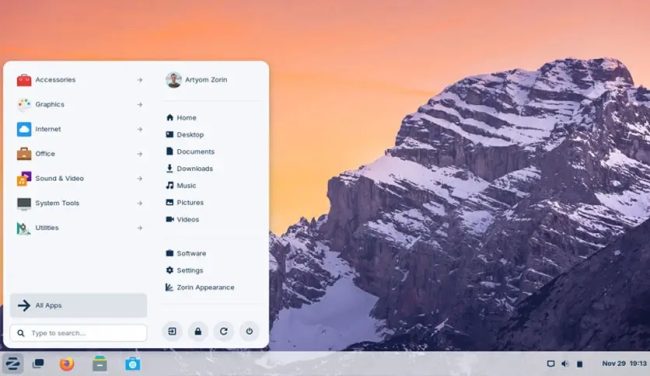
Zorin OS 提供類似Windows和macOS的操作佈局,讓從這些系統過渡的使用者能夠快速上手,其中Pro版提供如macOS和Windows 11等等多種貼合新手使用者的桌面佈局選項。
現代化設計與穩定性
Zorin OS擁有精美的視覺效果,流暢的動畫和精緻的圖示設計,並基於Ubuntu提供強大的穩定性和硬體相容性。
低資源需求與相容舊硬體
Zorin OS Lite版使用 XFCE 桌面環境,使得它能夠在舊硬體或資源有限的系統上運作。
功能齊全且安全
Zorin OS提供了豐富的預裝應用軟體,並且持續獲得來自Ubuntu的最新安全更新,適合各種使用者需求。
——————————————————————————-
Zorin OS 負面評價
Zorin OS Pro 版需額外付費:
儘管Zorin OS的Core和Lite兩版本可免費使用,但 Pro 版的 $47.99美元 價格可能對部分使用者來說偏高,且部分功能的使用限制使得免費版本不夠全面。
Zorin OS Pro 高級功能對普通使用者的吸引力有限:
Zorin OS Pro 版的高級功能(如多種桌面佈局切換和 3D 視窗切換)對於普通使用者來說可能過於繁瑣或不必要。
資源需求對高版本系統稍高:
Core和Pro兩版本基於GNOME桌面環境,對於低效能裝置較難以適用。
Zorin OS Pro / Pro Lite for Windows PC. It is a modern and fast operating system built as an ideal replacement for older Windows systems.
Overview of Zorin OS Pro / Pro Lite
This powerful operating system is designed for users who want a reliable, secure, and smooth computing experience without the limitations of outdated hardware. Based on Ubuntu, it’s known for being user-friendly and packed with features that appeal to both beginners and advanced users. The latest version is made for those looking to switch from Windows 10, offering a familiar yet enhanced environment to get things done efficiently.
Designed for Modern Use
The tool is built with the future in mind. As Windows 10 reaches its end-of-life, millions of users are left with unsupported devices. This system fills that gap perfectly, running flawlessly on older machines and making them feel new again. You won’t need to throw away your current setup or invest in a new one—install this OS and enjoy a fresh start.
Enhanced Software Support
The developers have made it easy to switch from Windows by improving how the tool handles Windows applications. It automatically detects many Windows installer files and suggests native Linux alternatives. This means when you try installing an app like Obsidian, you’ll be directed to its compatible version in the Software store, saving you time and ensuring better stability.
Built-In Privacy with Brave
To keep your browsing private and secure, the operating system now uses Brave as the default web browser. This change came after concerns with Firefox’s privacy stance. Brave blocks trackers, ads, and cookies by default, even supporting Tor for anonymous browsing. It’s fast, open source, and fits naturally into the desktop environment.
Smoother Device Integration with Zorin Connect
The included Zorin Connect app links your Android phone to your desktop, bringing everything together in one smooth experience. You can send files, sync messages, control media playback, and even use your phone as a remote control. The new design of the app now matches your phone’s theme, making it visually pleasant and easy to use.
Improved Features in Every Corner
The software now supports controlling your PC’s keyboard and mouse using your phone, thanks to upgraded remote input features. You’ll also find quality-of-life improvements like album art sharing, advanced notification filtering, and easier device pairing. Everything is built with user experience in mind, ensuring speed and simplicity in daily tasks.
Pro vs Pro Lite
There are two versions available to suit different users. The full version offers complete functionality and is ideal for powerful systems or those who want all features ready to go. On the other hand, the Lite edition is crafted for older or less capable hardware. It still gives you a smooth and beautiful interface, but without the heavier elements that may slow down performance on low-spec machines.
關於topadmin