




















Marvelous Designer是製作,編輯和重複使用3D衣服的最佳解決專案。
奇妙的設計師在3D布料建模中採用了真正的傳統布料生產方法。
任何人都可以使用Marvelous Designer建立自然的3D皺紋。
節省您的時間,使衣服上的細小皺紋。
只需點選幾下即可建立複雜的定制服裝。
Marvelous Designer專注於逼真的3D服裝建立及模擬。
憑借Marvelous Designer強大的模擬效果和直觀的使用者介面,您的想像將變為現實。
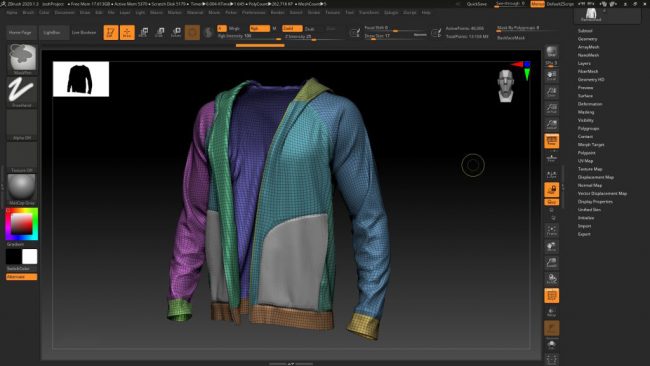
Marvelous Designer 10新功能介紹:
動態褶皺筆刷:
通過動態褶皺筆刷及重設筆刷來更自由地建立出服裝褶皺效果。
最適列高版片:
自動將服裝穿著到不同模特上並修改板片。
相容Substance檔案:
現已相容Substance旗下的SBSAR檔案格式。
紋理重複類型:
統一圖片根據UV圖應用紋理。
新增虛擬模特:
新增虛擬模特及預設服裝。
虛擬模特尺寸:
現已支援修改預設虛擬模特體型。此外,可以縮放OBJ模特。
UV編輯器改善:
在UV編輯器中,可以修改及生成各種UV圖。
改善數位板相容性:
提高數位板相容性,現已支援壓力傳感。
為各種3D角色建立可重複使用的3D資源。 Marvelous Designer提供了最準確,最快的布料模擬。
檢查自動形成的自然和真實的皺紋。為每個藝術家標準化高質量的結果。用一種服裝資產創造無數種變化。
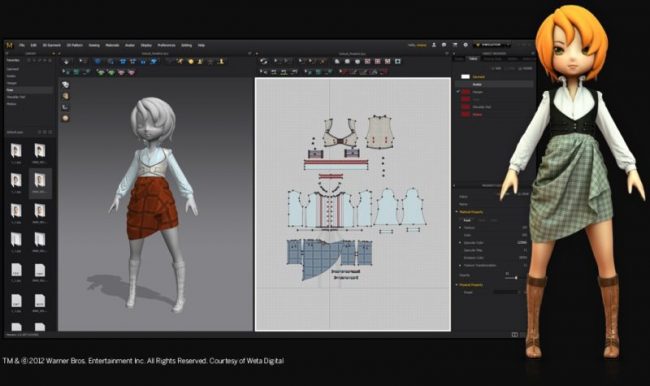
Marvelous Designer 10 Personal的功能:
以下是在安裝Marvelous Designer 10 Personal之後可以體驗的一些令人驚奇的功能,請記住,功能可能會有所不同,並且完全取決於您的系統是否支援它們。
動態除皺刷
自動擬合
物質整合
紋理重複類型:統一貼圖
頭像大小
規模化身
UV編輯器的改進
紋理重複類型
編輯紫外線位置
檢視地圖
改進的平板電腦相容性
可用的數位板筆壓力
數位板筆整合
圖書館資產下載
FBX改進:2020 SDK版本可用
快捷鍵搜尋
Avatar Tape和Avatar Measure Tools分組
長方體排序的邊界體積
高質量編譯
金屬性和Alpha貼圖(PBR材料)
通過接縫線建立圖形
圖形的Z偏移
重疊圖形的跳出視窗
使用紋理編輯後紋理
調整半圖案對稱性的中心線
偏移圖案輪廓>縮進
使用Ctrl鍵編輯曲線點
改善曲線點
變更長度時鎖定曲線點
複製內定形狀的一部分
延伸/修剪,延伸/修剪和加入點:到圖案輪廓或內定線
斜線傳播改善
縫線明線(OBJ)
在2D視窗中建立管道
在2D視窗中建立拉鍊
將快照另存新檔HTML檔案
將縮略圖儲存在4個檢視中
2D隨機彩色顯示
【建立 3D 服裝設計.定制服裝】Marvelous Designer 10 Personal 官網下載:
https://www.marvelousdesigner.com/
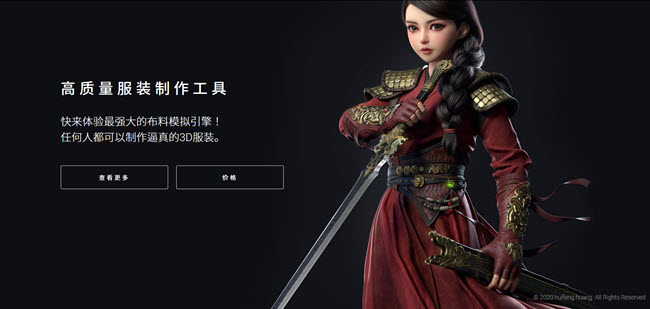
Marvelous Designer is the best solution for making, editing and reusing 3D clothes.
Marvelous Designer adopted real traditional cloth production method into 3D cloth modeling. Anyone can create natural 3D wrinkles with Marvelous Designer.
Save your time to make tiny wrinkles on the clothes.
Create intricate custom outfits with a few clicks.
Create re-usable 3D asset for various 3D characters. Marvelous Designer provides the most accurate and fastest cloth simulation.
Check the natural and realistic wrinkles formed automatically. Standardize high quality result for every artist. Create countless variations with one clothing asset.
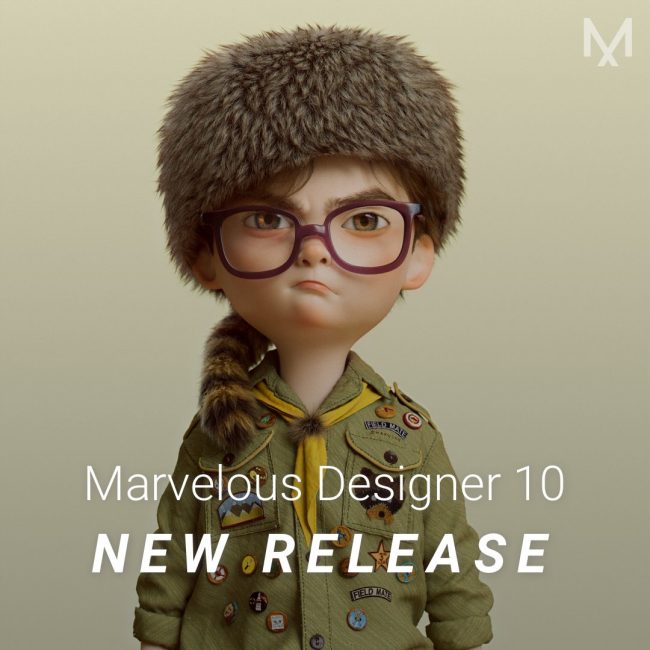
Features of Marvelous Designer 10 Personal
Below are some amazing features you can experience after installation of Marvelous Designer 10 Personal please keep in mind features may vary and totally depends if your system supports them.
Dynamic Wrinkle Brush
Auto Fitting
Substance Integration
Texture Repeat Type: Unified Map
Avatar Size
Scale Avatars
UV Editor Improvements
Texture Repeat Type
Edit UV location
View map
Improved Tablet Compatibility
Tablet Pen Pressure Available
Tablet Pen Integration
Library Asset Download
FBX Improvement: 2020 SDK Version Available
Shortcut Key Search
Avatar Tape & Avatar Measure Tools Grouping
Cuboid Arrangement Bounding Volume
High-time Quality Render
Metalness & Alpha Maps (PBR material)
Create Graphic Over Seamline
Z-Offset of Graphic
Pop-up for Overlapped Graphics
Edit Back Texture with Texture Edit
Adjust Center Line on Half Pattern Symmetry
Offset Pattern Outlines > Retract
Use Ctrl Key to Edit Curve Points
Optimize Curve Points
Lock Curve Points When You Change Length
Copy a Part of Internal Shape
Extend/Trim, Extend/Trim & Add Point: to Pattern Outline or Internal Line
Slash Spread Improvements
Seamline Topstitch (OBJ)
Create Piping in the 2D Window
Create Zipper in the 2D Window
Save Snapshot as HTML File
Save Thumbnails in 4 Views
2D Random Color Display