






































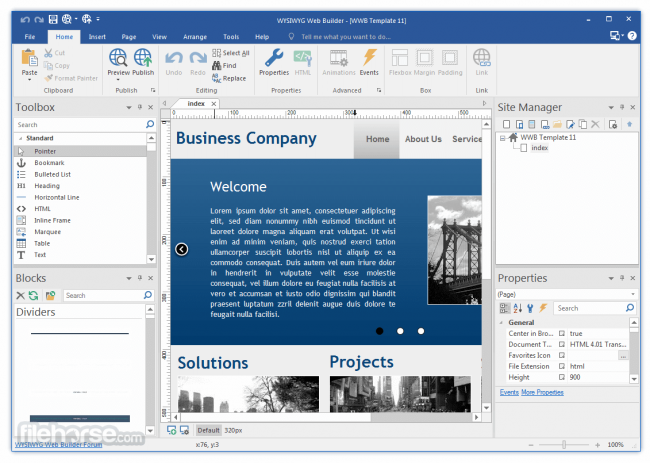
直觀地設計您的網站(即所見即所得)。只需拖放對像即可。
導航欄,選單欄和許多其他導航選項。
「一鍵發佈」無需FTP程式。無需特殊託管,可與任何託管服務一起使用!
使用內建的表單精靈以及表單驗證工具和內建的驗證碼輕鬆建立表單。
先進的圖形工具,例如形狀,文字藝術,旋轉,陰影和許多其他圖像效果。
完全整合的jQuery UI(Accordion,Tab等),動畫,效果和內建ThemeRoller主題編輯器。
Google相容的站台地圖生成器/ PayPal電子商務工具有許多可用的導航工具:導航欄,索引片選單,下拉選單,站台樹,幻燈片選單。
內建幻燈片放映,圖片庫,翻轉圖像,橫幅等。支援YouTube,Flash視訊,Windows Media Player和許多其他視訊格式。
獨特的延伸(附加)系統,已有超過250個延伸可用。
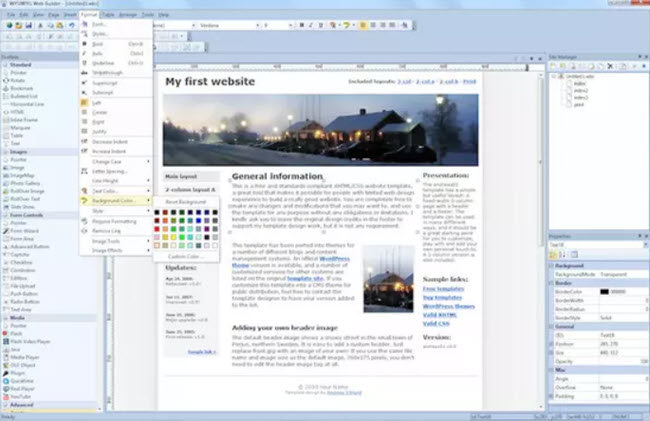
WYSIWYG Web Builder 16 的功能:
以下是安裝WYSIWYG Web Builder 16後可以體驗的一些令人驚奇的功能,請記住功能可能有所不同,並且完全取決於您的系統是否支援它們。
響應式網頁設計
內建支援佈局網格,flexbox,css網格或帶有斷點的固定佈局
網路字型
輕鬆將Google字型和其他網路字型新增到您的網站。
動畫製作
加入驚人的預製動畫和過渡效果,或建立自己的動畫。內含150多種預定義的動畫。
預製塊
使用預製塊快速入門。超過150個塊可用!
表格工具
傳送電子信件,上傳檔案,將資料存儲在MySQL或CSV中,自動響應器,密碼保護頁面,表單驗證,條件/計算
圖片與媒體
圖像濾鏡,形狀,畫廊,旋轉木馬,燈箱,翻轉動畫,YouTube,Vimeo,HTML5視訊/音訊
圖示庫
支援Font Awesome,Material Icons和許多其他圖示庫
導航
導航按鈕,下拉選單,全螢幕選單,大型選單,面板選單,麵包屑,分頁等等!
副檔案名
數以百計的延伸為軟體增加了額外的功能。內含幻燈片,導航,音訊/視訊,網上商店,資料檢視器等。
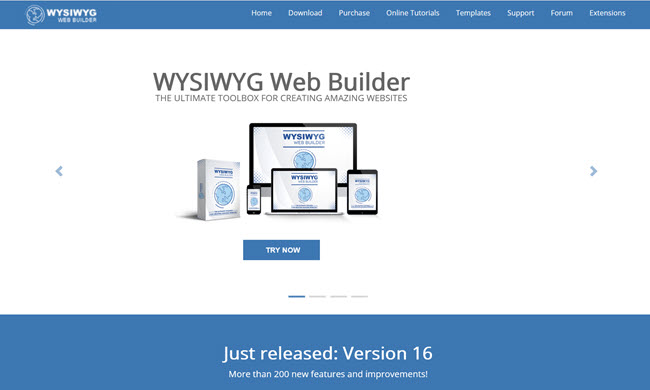
【網站設計.所見即所得】WYSIWYG Web Builder 16 官網下載:
https://www.wysiwygwebbuilder.com/download.html
Visually design your website (What-You-See-Is-What-You-Get). Just drag & drop objects your web pages. Navigation bars, Menu bar and many other navigation options.
“One Click Publishing” No FTP program needed. No special hosting required, use with any Hosting Service!
Easily create forms using the built-in Form Wizard plus Form validation tools and built-in CAPTCHA.
Advanced graphics tools like shapes, textart, rotation, shadows and many other image effects.
Fully integrated jQuery UI (Accordion, Tabs etc), animations, effects and built-in ThemeRoller theme editor.
Google compatible sitemap generator / PayPal eCommerce Tools Many navigation tools available: Navigation bars, tab menus, dropdown menus, sitetree, slidemenus.
Built-in Slide Shows, Photo Galleries, Rollover images, Banners etc. Support for YouTube, Flash Video, Windows Media Player and many other video formats.
Unique extension (add-on) system with already more than 250 extensions available.
Features of WYSIWYG Web Builder 16
Below are some amazing features you can experience after installation of WYSIWYG Web Builder 16 please keep in mind features may vary and totally depends if your system supports them.
Responsive Web Design
Built-in support for layout grid, flexbox, css grid or fixed layouts with breakpoints
Web Fonts
Easily add Google Fonts and other Web Fonts to your website.
Animations
Add amazing pre made animations and transitions or create your own animations. More than 150 pre-defined animations are included.
Pre-made Blocks
Use pre-made blocks to quickly get started. More than 150 blocks are available!
Forms Tools
Send Emails, Upload Files, Store Data in MySQL or CSV, Auto Responder, Password Protect Pages, Form Validation, Conditons/Calculations
Images & Media
Image filters, shapes, galleries, carousels, lightboxes, rollover animations, YouTube, Vimeo, HTML5 Video/Audio
Icon Libraries
Support for Font Awesome, Material Icons and many other icon libraries
Navigation
Navigation buttons, drop down menus, fullscreen menu, mega menu, panel menu, breadcrumb, pagination and much more!
Extensions
Hundreds of extensions to add extra functionality to the software. Including slideshows, navigation, audio/video, webshops, data viewers etc.