







































【文章標題】: (給照片增加上像框和邊框) Framing Studio v2.71 繁體中文化版
【文章作者】: 軟體中文化密訓基地-總教頭
【作者信箱】: steven8ster@gmail.com
【作者首頁】: http://visdacom.com/f2blog
【軟體中文化課程】: http://visdacom.com/f2blog/2009-tchinese/index.html
【內容分類】: 給照片增加上像框和邊框
【附件大小】: 3.67MB
【基地主機】: http://visdacom.com/f2blog
【解壓密碼】: 軟體中文化教學密訓基地
【版權聲明】: 【原創】軟體中文化密訓基地,轉載必須保留完整標頭。刪除者依法追究!
——————————————————————————–
【文章內容】
(給照片增加上像框和邊框) Framing Studio v2.71 繁體中文化版
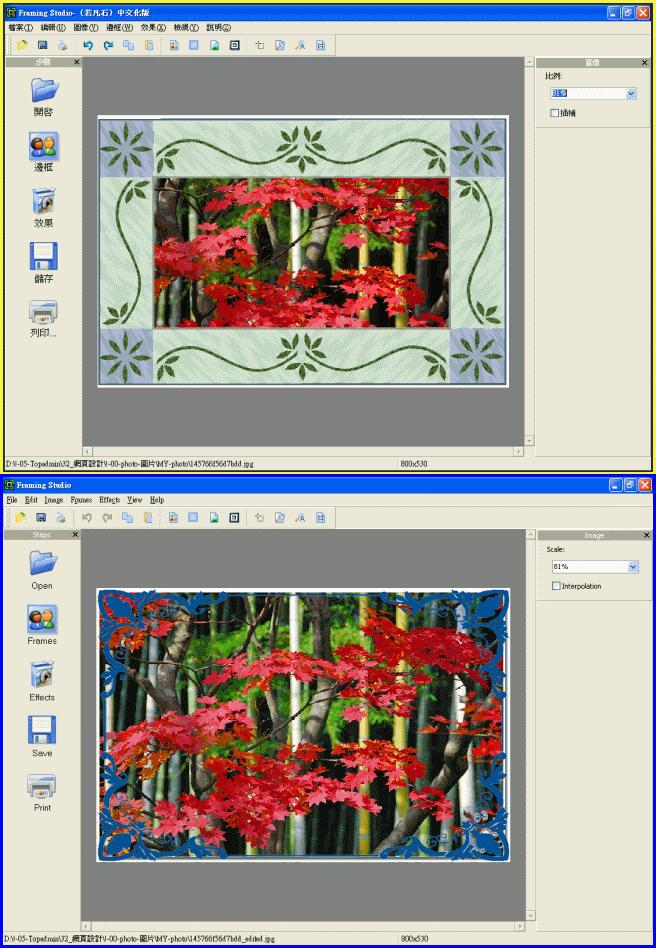
Framing Studio (給照片增加上像框和邊框) 一款照片修飾工具。
可以說明你給照片增加上漂亮的像框和邊框。
支援剪下,改變大小,旋轉照片,同時你也可以增加各種特效。軟體自帶超過70種像框,而且列印功能也很靈活
原版是:簡體中文版(我把他繁體中文化好了!)
上菜啦!各位看倌請慢用!
——————————————————————————–
【補充說明】
Framing Studio is a photo embellishment tool that allows you to add stunning photo frames and various
border effects to digital images.
Program's intuitive user interface allows you to use its features quickly and efficiently.
Framing Studio supports cropping, resizing and rotating photos. You may also use special effects.
The distribution kit includes more than 70 frames. Framing Studio contains flexible printing options.
(給照片增加上像框和邊框) Framing Studio v2.71 繁體中文化版下載之檔案位址:
http://visdacom.com/Downloads/Framing_Studio_v2.71.rar
——————————————————————————–
你還在自己摸索如何將英文、日文或簡體中文軟體如何繁體中文化嗎?你有【技術顧問服務】可以諮詢嗎?
往往一個問題無法解決你可能要發很多時間處理(或許永遠找出答案)那就是軟體中文化痛苦的開始!
購買【軟體中文化】函授課程錄影DVD教學課程,你就可獲得【軟體中文化】技術的【顧問諮詢服務】!